
5 simple ways Claude can help your local business, step by step
No tech skills needed. If you can send a text message, you can do every one of these. Here's exactly what to tap and what to type.
By the numbers
You’ve probably heard people talk about AI. Maybe it sounds complicated, or like something for tech companies, not a pool service in Port St. Lucie or a bait shop in Fort Pierce.
Here’s the simple version. Claude is like texting a very smart helper. You type what you need in plain words. It writes back. That’s it.
It won’t run your business for you. But it can take care of the small writing jobs that sit on your to-do list for weeks.
Below are five of them. Each one comes with the exact steps and the exact words to type.
First, get set up (about 5 minutes)
You only do this part once.
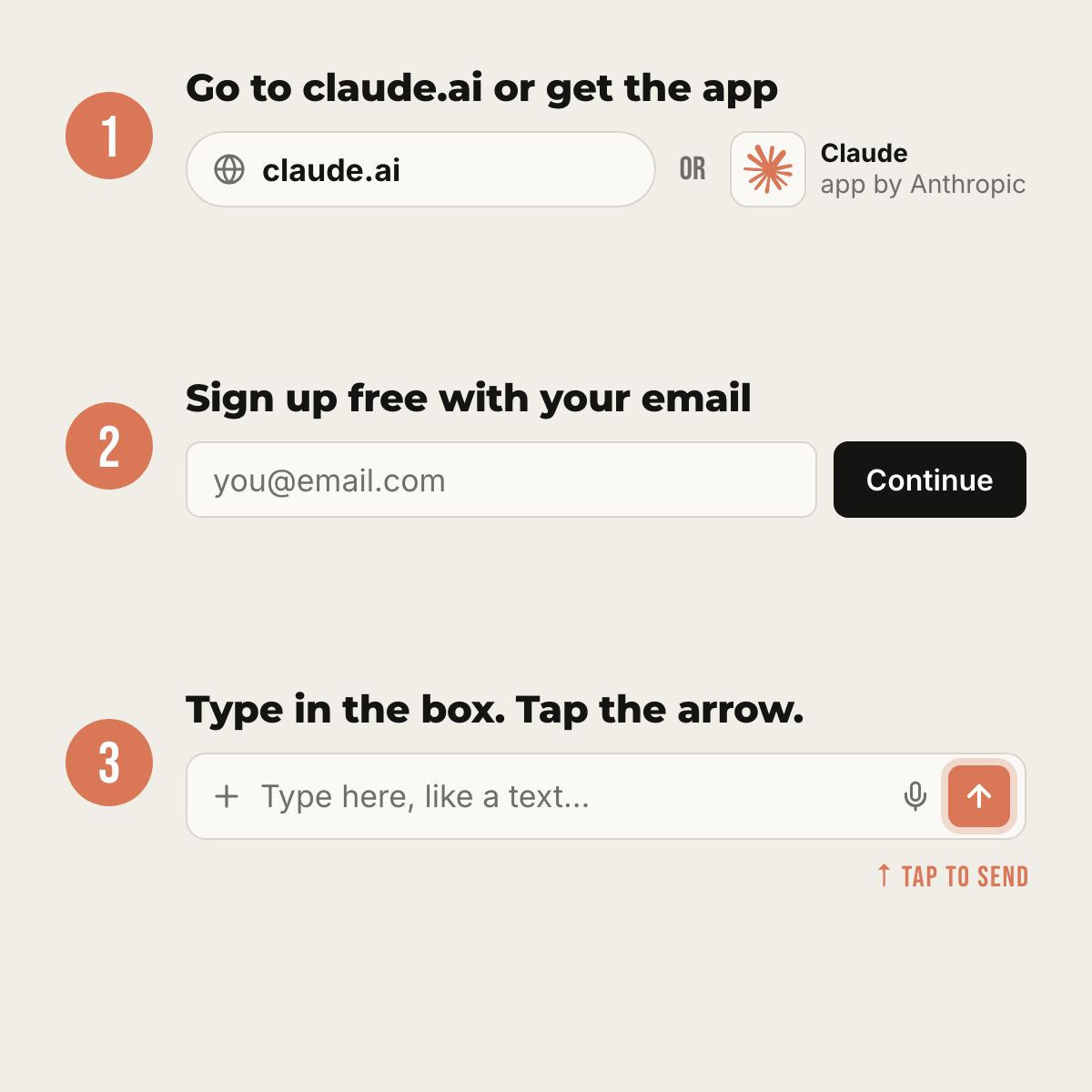
- On a computer: open your web browser and go to claude.ai.
On a phone: open the App Store (iPhone) or Google Play (Android). Search for Claude and download the app made by Anthropic. - Tap Sign up. Use your email address or your Google account. It may send you a code to make sure it’s really you.
- You don’t need to pay. The free plan works for everything in this guide.
- Look for the box at the bottom of the screen. That’s where you type. When you’re done, tap the arrow to send.
Two tips before you start:
- Talk instead of type. On a phone, tap the little microphone on your keyboard and just talk. Your phone turns your words into text.
- Tell it about your business. Start each new chat with one sentence, like: “I own a small lawn care business in Port St. Lucie, Florida, with 3 employees.” The more it knows, the better it writes.
1. Answer your Google reviews
Why it helps: People read your replies, not just the reviews. A quick thank-you to a happy customer means a lot. A calm reply to an upset one shows everyone else you care. Most owners know this. They just don’t have the time.
Step by step:
- Open your Google reviews and copy one. (On a phone, press and hold the words, then tap Copy.)
- Open Claude. Type the message below, then paste the review at the end.
- Read what Claude writes. Change anything that doesn’t sound like you.
- Copy it, go back to Google, and paste it in as your reply.
Copy this:
I own [your business] in [your town]. Write a short, friendly reply to this Google review. Sound like a real person, not a company. Keep it under 4 sentences. Here’s the review: [paste it here]
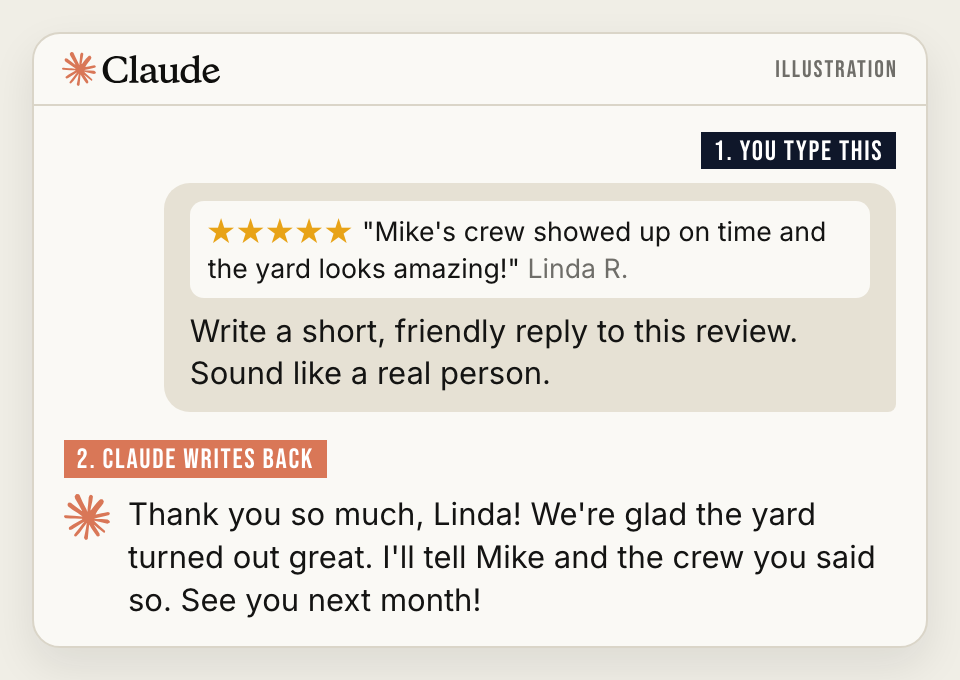
For a bad review, add this line: “This customer is upset. Stay calm and polite. Don’t argue. Invite them to call me at [your number] so I can make it right.”
Good to know: Don’t mention private details about the customer in a public reply.
2. Write the sign or post you keep putting off
Holiday hours, a price change, a “closed Friday for the storm” note. Every business needs these, and the wording always takes longer than it should.
Step by step:
- Start a new chat in Claude.
- Say what’s happening, who will read it, and where it’s going: a paper sign on the door, a Facebook post or a text to customers.
- Ask for 3 versions. Pick the one you like best.
Copy this:
I own [your business] in [your town]. We’re closing early on Friday because of the storm. Write a short note for our front door and a Facebook post. Tell customers when we’ll reopen and how to reach us. Give me 3 versions.
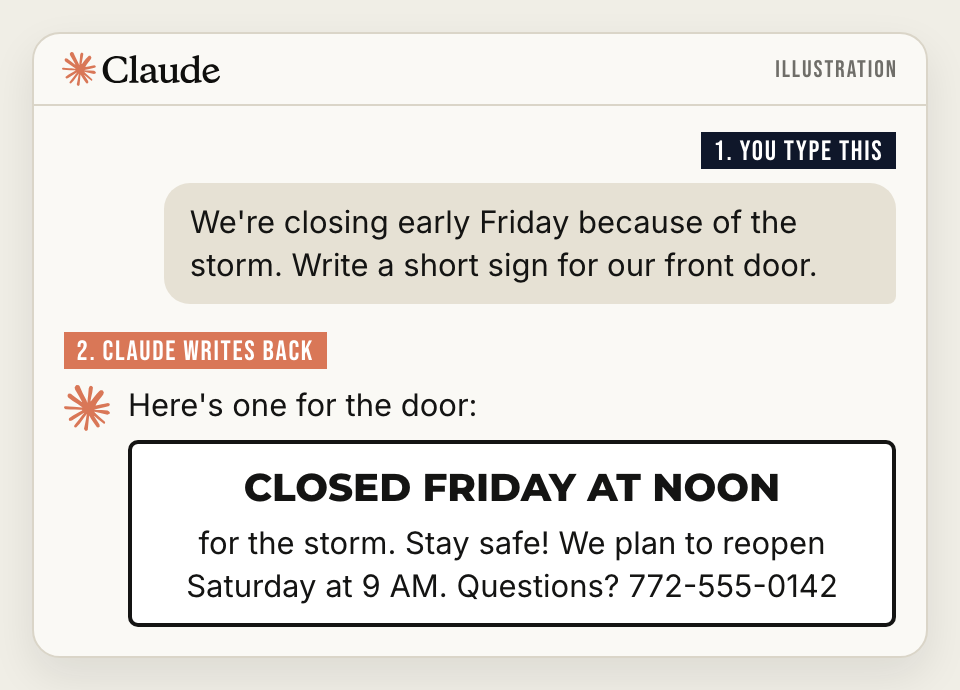
Bonus: If some of your customers speak Spanish or Haitian Creole, add: “Now write it in Spanish too.” For anything important, have someone who speaks the language read it before you post it.
3. Turn a confusing letter into plain English
Some paperwork reads like it was written to confuse you, like an insurance renewal or a notice from the county. Claude can read it with you.
Step by step:
- Before you take the photo, put a sticky note over anything private: account numbers, your Social Security number, bank details.
- In Claude, tap the + button next to the typing box.
- Choose Camera to snap a photo of the letter. You can also pick a PDF or a photo you already have.
- Type the message below and send it.
Copy this:
Explain this letter like I’m 10 years old. What is it asking me to do? Is there a deadline? Is there anything I should worry about?
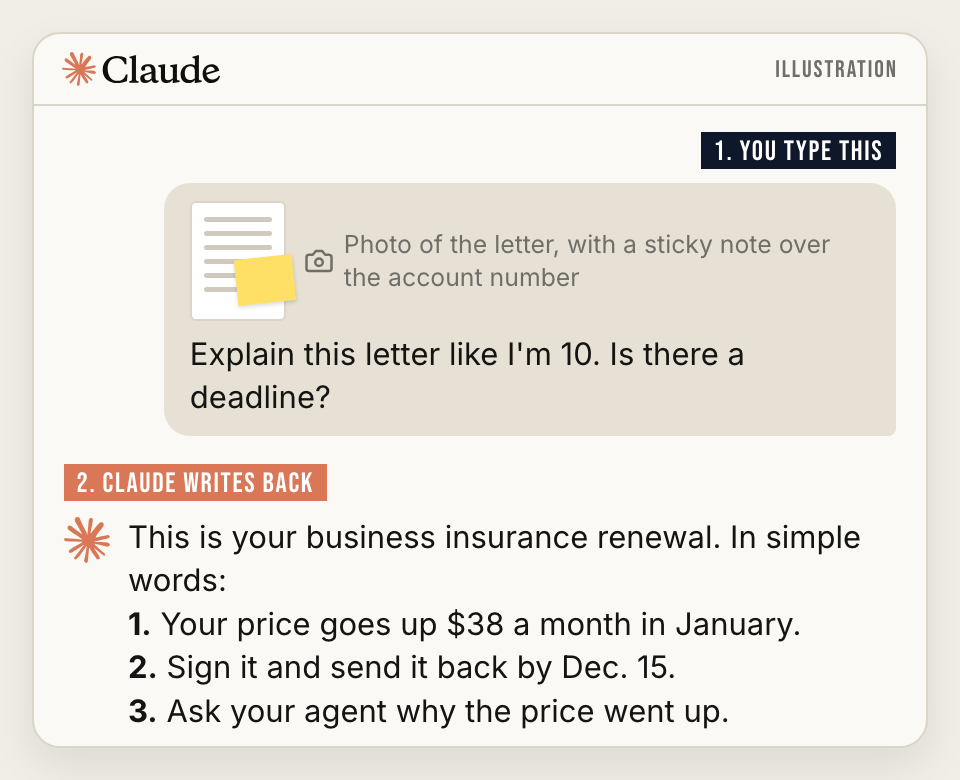
Good next question: “What should I ask my insurance agent about this?”
Good to know: Claude helps you understand. It doesn’t replace your lawyer, accountant or insurance agent. When money or the law is involved, use what Claude tells you to ask them better questions.
4. Write the email you’ve been dreading
Asking a customer to pay a bill that’s 60 days late. Telling your regulars that prices are going up. These are hard to write because you want to be firm and still be kind.
Step by step:
- Tell Claude what’s going on in plain words. Don’t worry about spelling or grammar.
- Tell it how you want to sound: friendly, firm or both.
- Read it out loud. If it doesn’t sound like you, just say so: “Make it shorter” or “Make it sound more like a normal person talking.”
Copy this:
A customer owes me $850 for a job we finished 60 days ago. I’ve sent two reminders. Write a polite but firm email asking them to pay by [date]. Keep it short. Don’t sound angry.
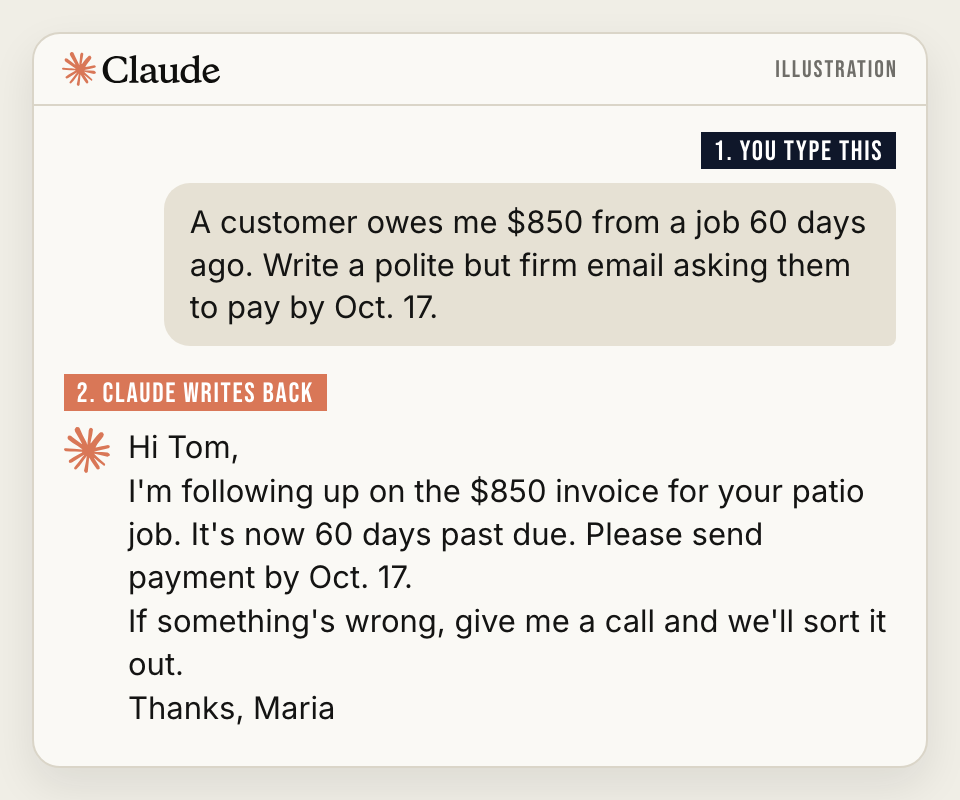
Tip: You can keep talking back and forth. If the first try isn’t right, tell it what to fix. You don’t have to start over.
5. Make a checklist for your team
How you open the shop every morning probably lives in your head. That works fine until you’re out sick or you hire someone new.
Step by step:
- Tap the microphone on your keyboard. Talk through how you open your business, one step at a time, like you’re showing a new employee. It’s fine if it’s messy.
- Add the message below and send it.
- Print the checklist and tape it up by the register, the back door or in the truck.
Copy this:
I just described how I open my business each morning. Turn it into a simple numbered checklist a new employee could follow. Use short steps. Mark anything about safety or handling cash as important.
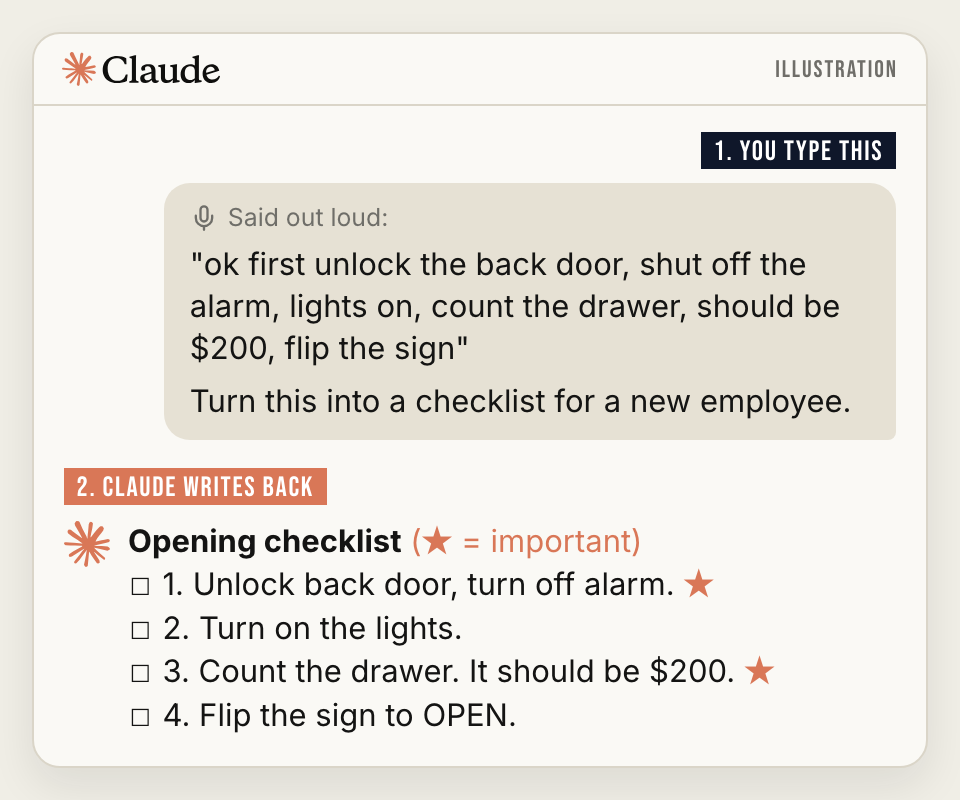
The same trick works for closing up, answering the phone, handling a customer complaint or getting the shop ready for a hurricane.
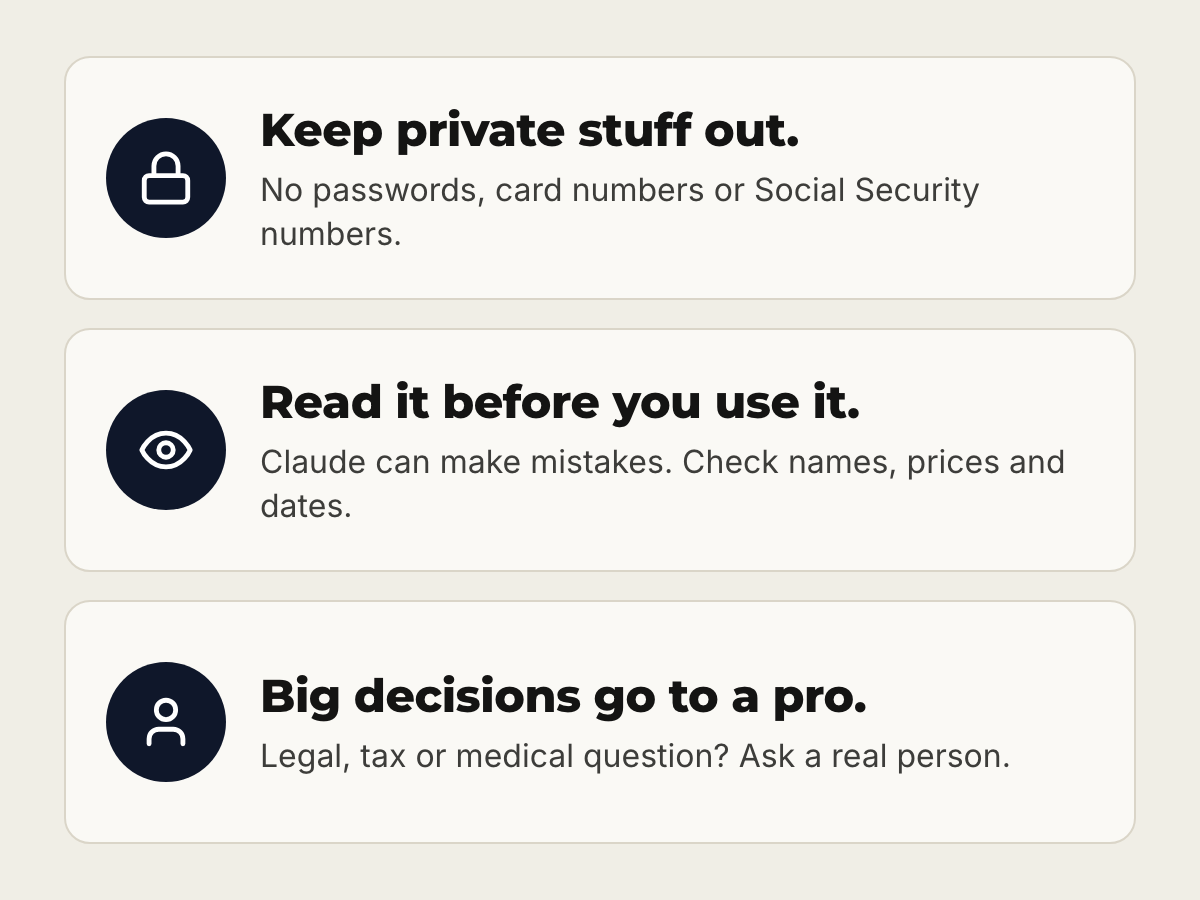
3 rules to stay safe
- Keep private stuff out. Never type passwords, credit card numbers, Social Security numbers or your customers’ private information.
- Read it before you use it. Claude can make mistakes. Check names, prices, dates and phone numbers every time.
- Big decisions go to a real person. For legal, tax or medical questions, Claude can help you understand. A professional should help you decide.
Free or paid?
The free plan covers everything in this guide. If you end up using Claude every day and hit the free limit, the Pro plan costs $20 a month in the U.S., according to Anthropic. Try the free plan for a couple of weeks first. You’ll know pretty quickly if you need more.
Start with one
Don’t try all five today. Pick the job that’s been on your list the longest. For a lot of owners, that’s the Google reviews. Do that one this week and see how it goes.
Already using AI in your business? Send us a DM @the772fl. We may share the best ideas in a future story.
THE 772 isn’t affiliated with Anthropic, the company that makes Claude, and wasn’t paid for this guide.